
Skip to content

Zendesk reports in Power BI

Connect Zendesk to Power BI and build support reports in minutes. No code, no CSV files, and your tickets are never stored outside Zendesk.
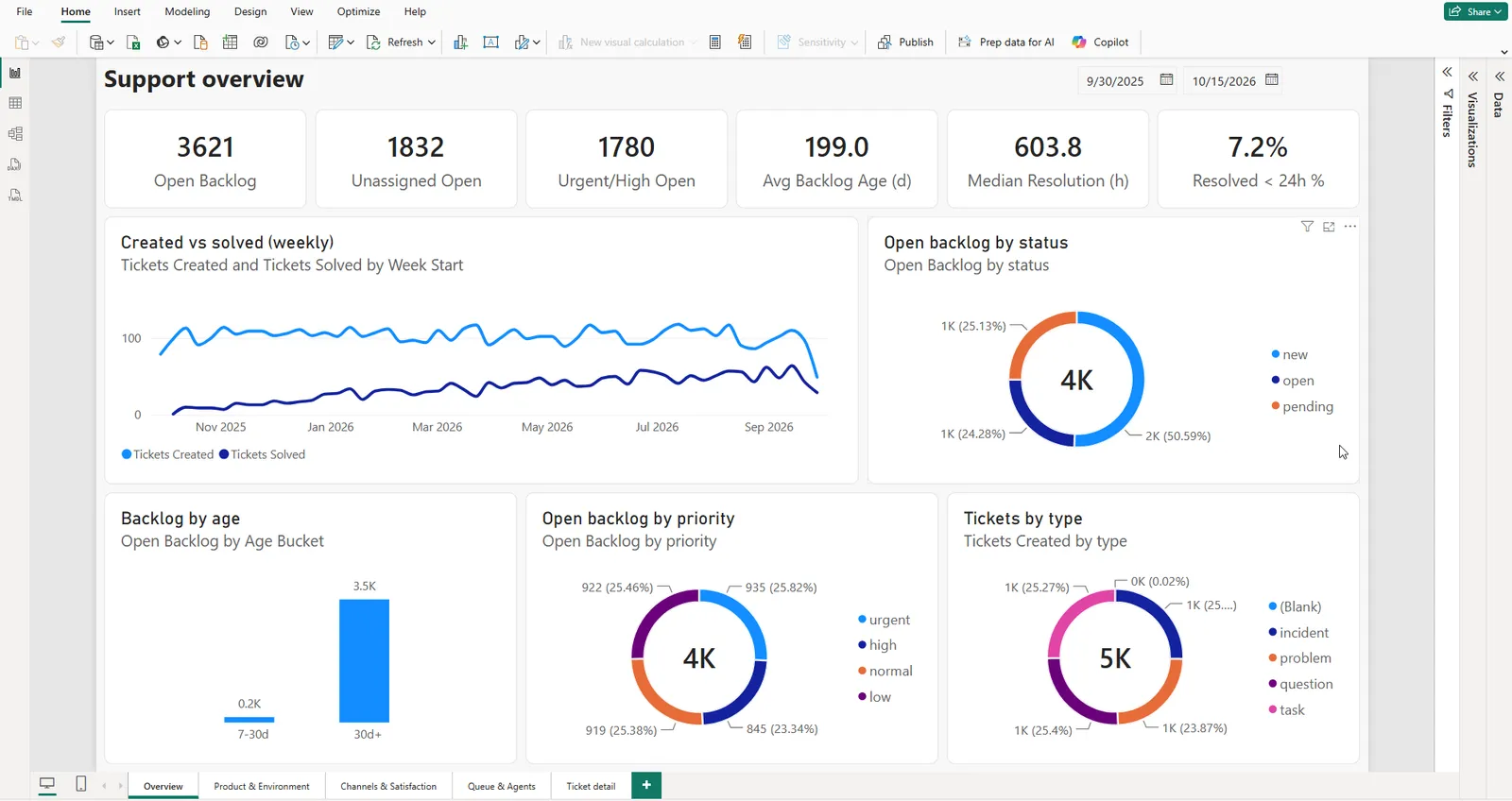
A Power BI support overview dashboard built on the feed — backlog, created vs solved, backlog by age and priority
All your Zendesk data

Tickets, metrics, users, organizations, groups and tags, with every custom field. No code needed.

Only what you need

Filter tickets the way you search in Zendesk: by status, tag, organization or date.

Stays in Zendesk

We never store your tickets. The app only reads and never changes anything.
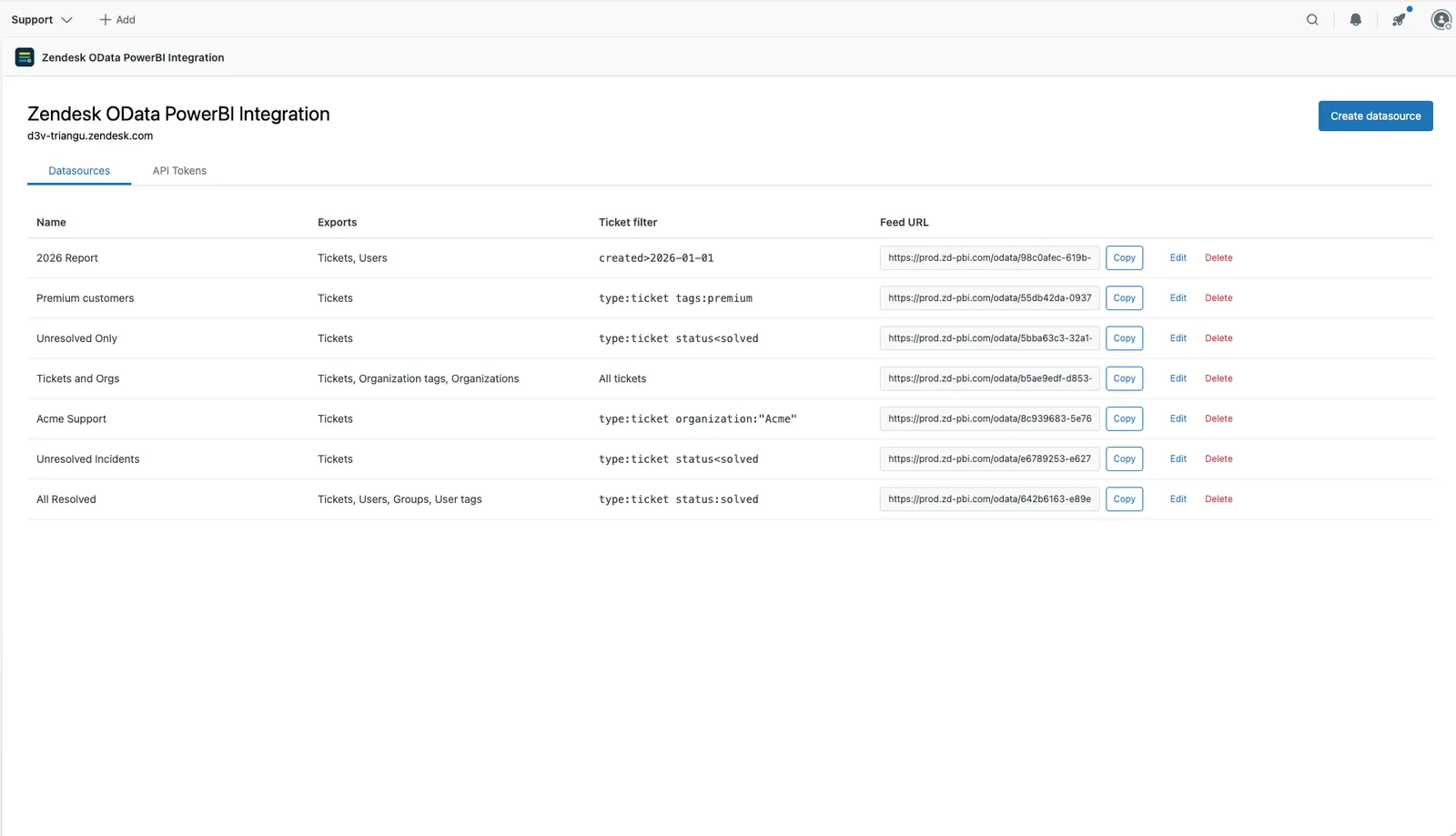
The Datasources tab listing several datasources, each with its tables, ticket filter and feed URL

Set up an export in a minute

Choose the tables, add a filter if you need one, and copy the link into Power BI. Create as many exports as you like, for example one per report or one per team.
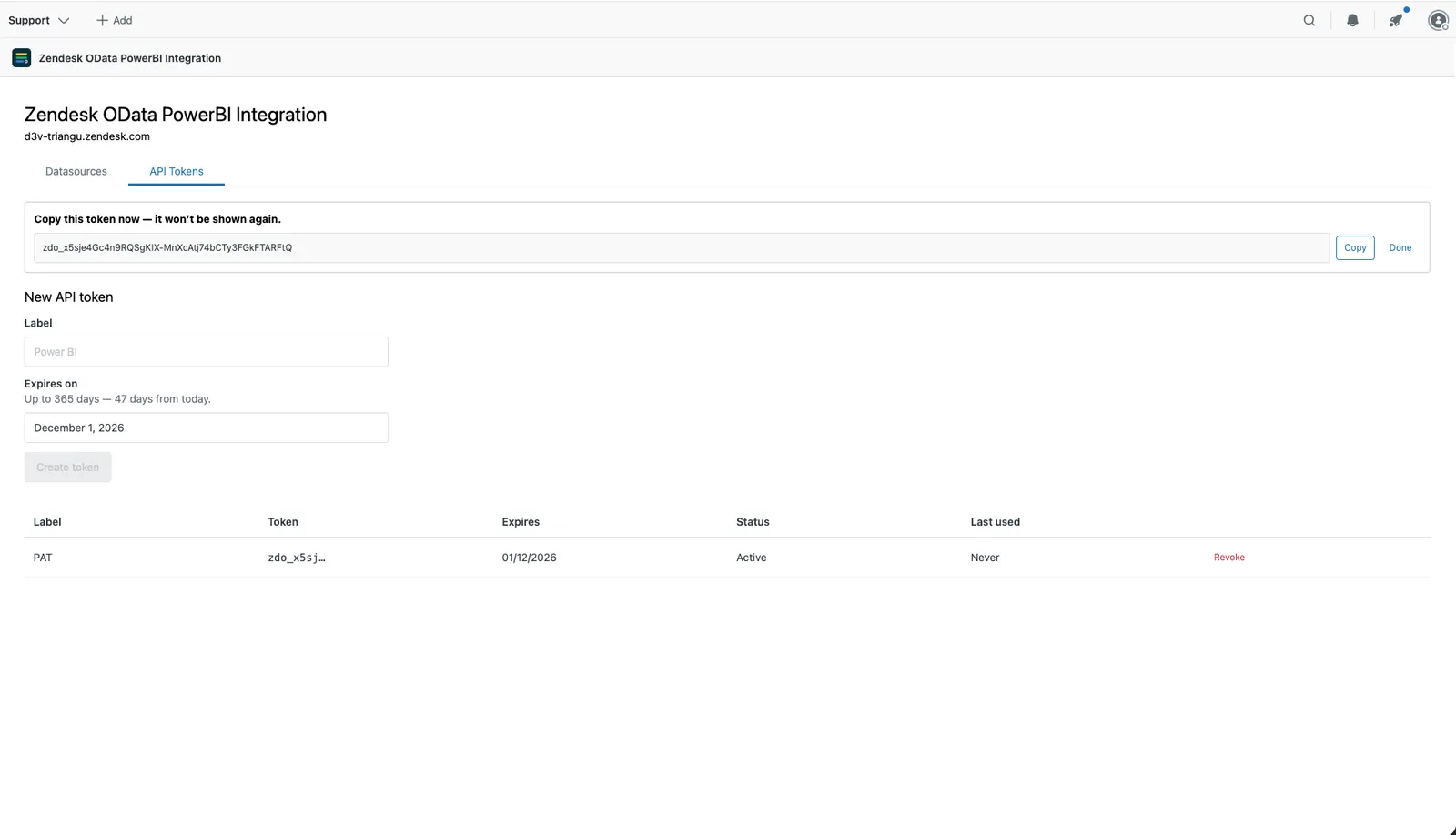
The API Tokens tab with a newly created token and the token list

Secure access to your data

Power BI connects with a token you create in the app, so a link alone opens nothing. Each agent manages their own exports and tokens, and can switch a token off at any time.
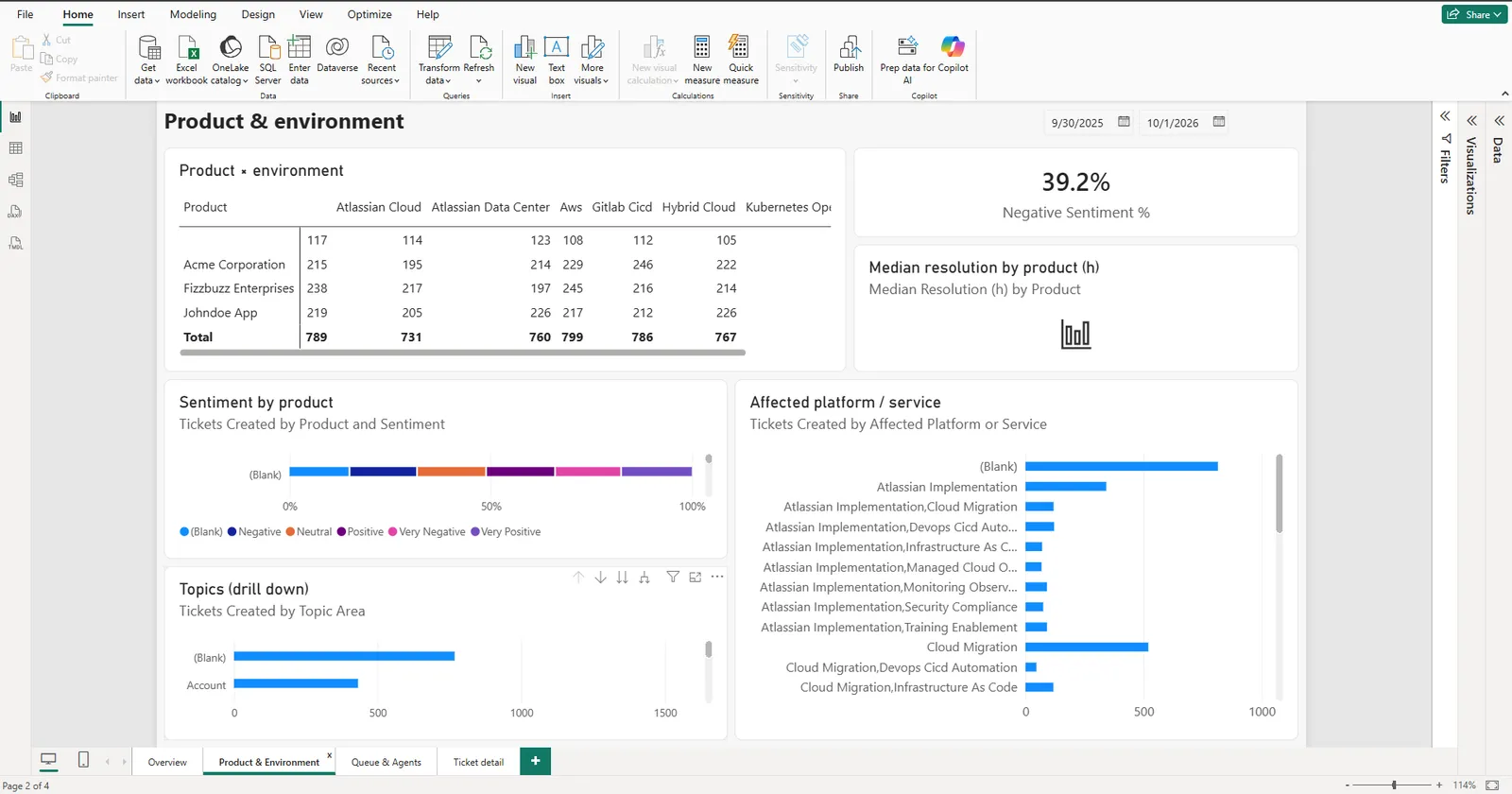
A Power BI report page breaking tickets down by product, environment, sentiment and affected platform

Start with a ready-made report

Our Power BI template gives you a support dashboard out of the box: backlog, resolution times, satisfaction and more. Your custom fields, such as Product or Sentiment, work as filters and charts right away.

One plan, everything included

$50 per month

One price for your whole Zendesk account, however many agents you have. Billed through the Zendesk Marketplace.

  • All eight tables, including custom ticket fields
  • Unlimited datasources, rows and API tokens
  • Every agent in the account can connect
  • Ready-made Power BI report templates
  • Support through our portal or by email

Frequently asked questions

How much does it cost?
$50 a month for your whole Zendesk account, however many agents you have. You pay through the Zendesk Marketplace, like any other Zendesk app.
Do you store our tickets?
No. On every refresh the data goes from Zendesk straight to Power BI. We only keep what the app needs to work: your Zendesk connection (encrypted), your export settings, and a fingerprint of each API token. See Data handling.
Can the app change anything in Zendesk?
No. The app asks Zendesk for read access only. It can’t create, change or delete tickets or anything else.
Who can see my exports?
Only you. Each agent connects their own Zendesk account and sees only the exports and tokens they created. Your reports include only the tickets you can see in Zendesk.
Is there a limit on rows or exports?
No. You can create as many exports and tokens as you like, with no row limits. On a large Zendesk account the first load takes longer, because Zendesk limits how fast data can be read.
How fresh is the data?
Every refresh reads the current data from Zendesk. A ticket changed in the last few minutes may only show up in the next refresh. You can refresh by hand or on a schedule.
Do I need Power BI Pro?
Power BI Desktop is free, and it’s all you need to build reports. To share reports with colleagues in the Power BI Service, you need Power BI Pro or Premium, as with any Power BI report.
We use Power BI Connector by Tempo. Can we switch?
Yes. Create an export with the tables and filter you need, then in Power BI point your report to the new link and sign in with your API token. Some column names may differ, so check your visuals after the switch. Need help? Open a request in our support portal or email [email protected].